Signia miniPocket Hearing Aid Remote Control
$ 96.45
Of , 0% rente
Fysieke winkel
100% veilig winkelen
Ruime voorraad
Brengservice
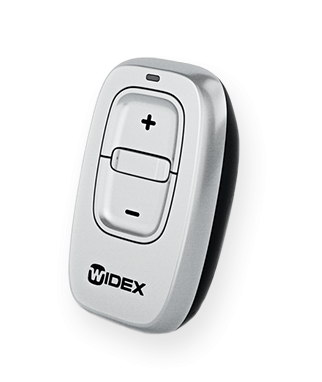
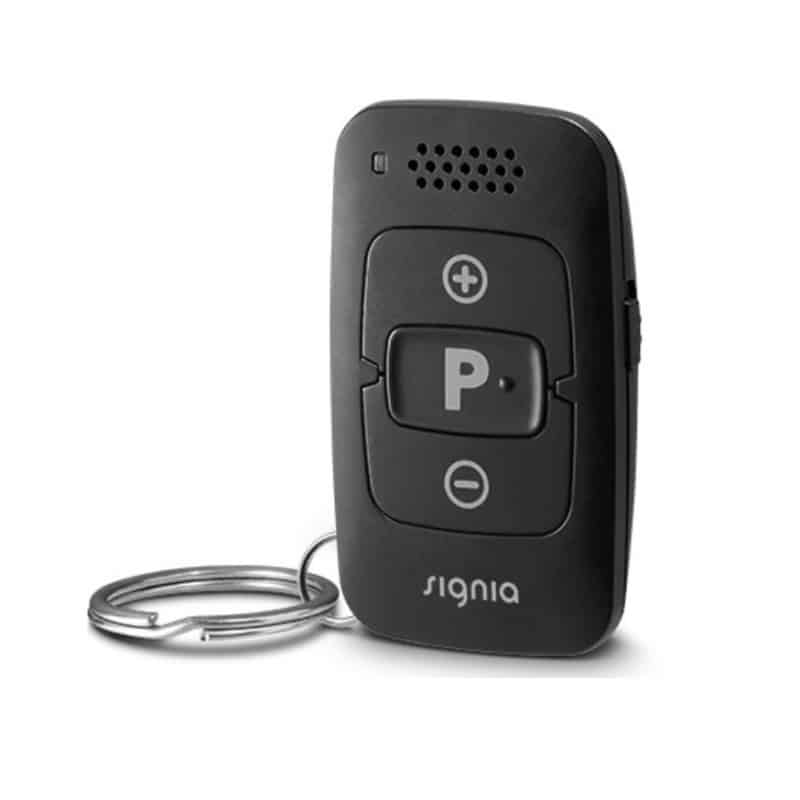
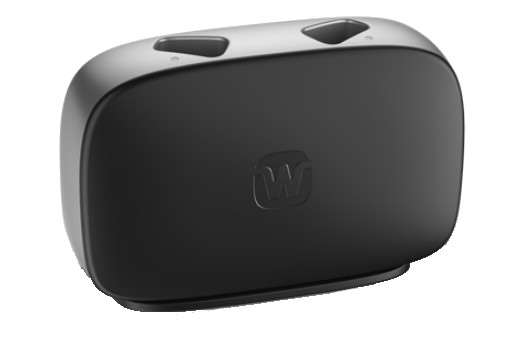
Description Signia Hearing Aids miniPocket Remote Control The Signia miniPocket Hearing Aid Remote Control is the ideal solution for anyone who wants discreet, convenient control of their Signia hearing aids without the need for a large remote control or smartphone.Reliable and easy to use, the miniPocket remote is small enough to carry on a key ring yet powerful enough to control all essential hearing aid features.This accessory is perfect for those who wish to have the convenience of a hearing aid remote control at their fingertips without the big bulky size.The package includes the miniPocket remote, disc-type battery and users manual. Signia miniPocket Remote Control The miniPocket hearing aid remote control is covered by a one-year manufacturer warranty. How to Handle The miniPocket Remote controlCompatible with all Signia AX, X, Nx, Primax, Binax, Micon, Orion2, Sirion2, Styletto and Pure hearing aidsminiPocket Features:LoudspeakerLED signal indicatorVolume up and down buttonsKey lockProgram change buttonOn rear side: Battery compartmentOn rear side: Opening for key ringSignia Website Accessories Link How to Pair the Signia miniPocket Remote Control How To Use Your Signia miniPocket Remote Control Pairing Your Hearing Aids With miniPocket Remote ControlYour hearing aids need to be paired with your miniPocket remote control.After that, the pairing is saved in the hearing aids and remembered each time they are turned on.1. Lock the remote control on the side of the miniPocket (red color visible).2. First turn the hearing aids off: Open the battery compartments. If your hearing aids do not have a battery compartment, turn them off as described in the hearing aids’ user guide.3. Then turn the hearing aids on: Close the battery compartments. If your hearing aids do not have a battery compartment, turn them on as described in the hearing aids’ user guide.The hearing aids are now in pairing mode. You have 3 minutes to complete the pairing. Follow the steps below.4. Insert the hearing instruments into your ears.5. Hold down the “P” button on the remote control while switching the key lock to the unlock position (green color visible).6. Release the “P” button.The remote control is now in setup mode, the LED will be on.While the remote control is in setup mode, do not press “ ” or “-“ button. This will change other settings.7. Hold down the “P” button until the pairing confirmation sound is played in the hearing aids. It takes approximately 2 seconds for the sound to start playing.8. Ensure that the confirmation sound is heard in both hearing instruments. When heard, the pairing will be complete.The remote control will remain in setup mode for an additional 30 seconds. The confirmation sound can be played again bypressing “P” during these 30 seconds.9. To exit the setup mode of the remote control, wait 30 seconds or move the key lock switch to the lock position(red color visible).When the pairing process is finished, the remote control is ready for use.Ensure that it is unlocked to use (green color visible).If you need any assistance in the pairing or use of the miniPocket hearing aid remote control, please feel free to contact us. The miniPocket hearing aid remote control is the most popular item from our collection of Signia accessories. It is handy and easy to use. It is covered by a one (1) year manufacturer’s warranty. For more information on the Signia miniPocket hearing aid remote control, please call 1-800-416-2434, Monday thru Friday, 9:00 a.m. to 9:00 p.m. Eastern Time (6:00 a.m. to 6:00 p.m. Pacific Time) USA. The use of the Signia or Siemens logo or name and other relevant educational materials on this website are purely for informational purposes about their products that we offer for sale.
Specificaties algemeen
Staat:
Nieuw
Merk:
ZWO
Serie:
Seestar
Garantie:
2 jaar
Artikelnummer smcbathrooms:
ZWO-Seestar - S30 Pro-Total-Eclips-Versie
Artikelnummer fabrikant:
ZWO-Seestar-S30-Pro-Total-Eclipse-Version
Specificaties product
Type:
software asiair
Geschikte accessoires
Je bent misschien ook geïnteresseerd in…
Service en ondersteuning
Geen tekst beschikbaar
Categorieën
telescopentelescopen-smart-telescopentelescopen-refractor-telescopentelescopen-refractor-apochromatic-tripletastrofotografie-smart-accessoiresaccessoires-monteringenmerkenmerken-zwo